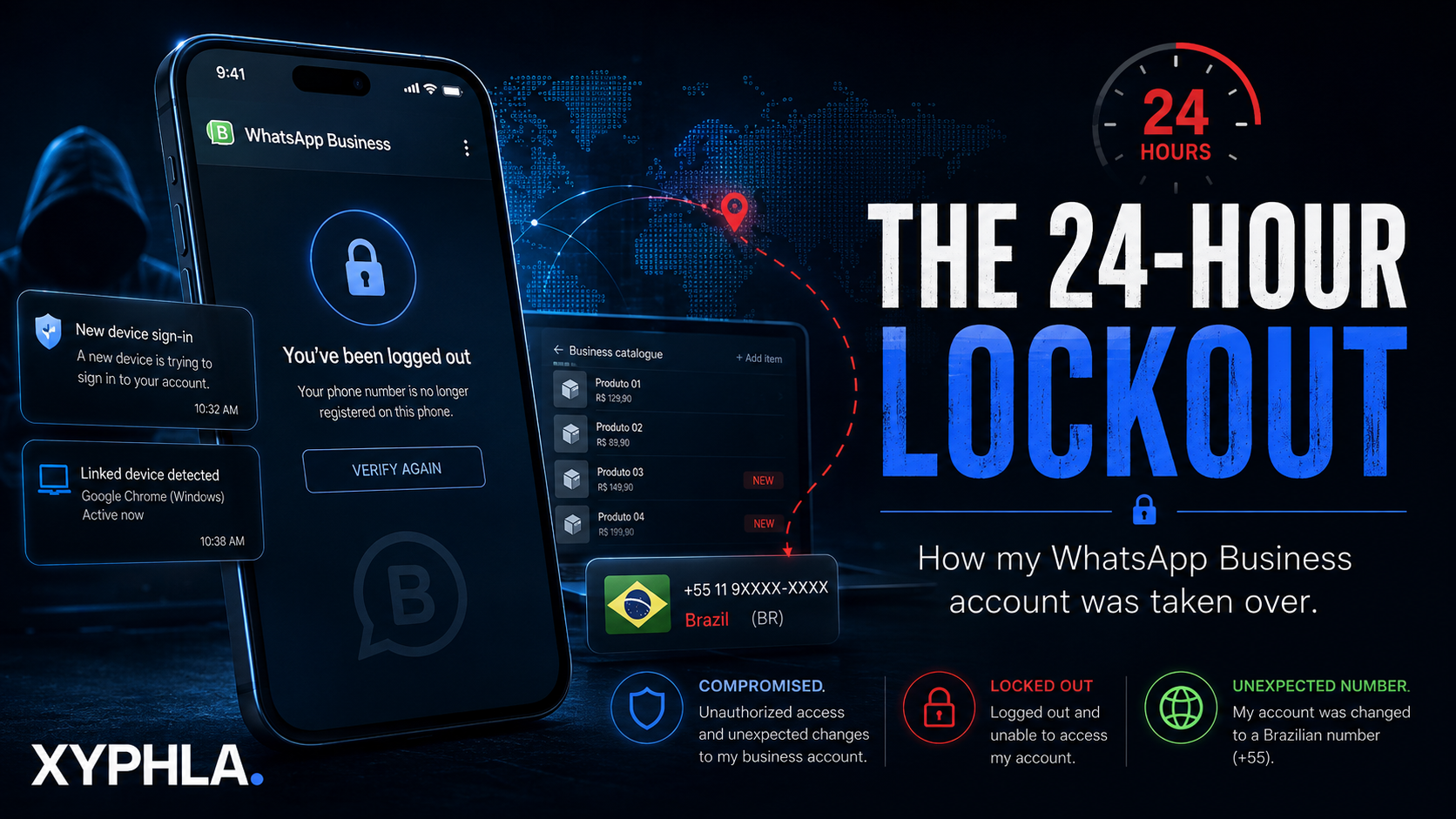
How My WhatsApp Business Account Was Taken Over
It started with a notification I ignored.
“Continue signing in to your new device.”
I saw it.
I dismissed it.
Then I saw it again.
And again.
I didn’t realize at the time that those notifications were potentially the first visible signs that someone was trying to take control of my WhatsApp Business account.
The first compromise
I use WhatsApp Business as part of my day-to-day business communication, so losing access to it isn’t just losing a messaging app.
It’s losing access to a communication channel connected to customers, contacts, business information and my brand.
The first time the account was compromised, I managed to take back control.
At that point, I thought the incident was over.
I had my account back.
My phone was still with me.
I don’t share WhatsApp OTPs.
Nobody else has access to my phone.
So I did what most people would probably do:
I moved on.
But I also wanted to strengthen the account.
After the first attack, I activated Meta Verified
After recovering the account, I subscribed to Meta Verified for WhatsApp Business, including the blue verification badge.
It wasn’t something I had before the first compromise.
And importantly, I don’t want to claim that Meta Verified prevented what happened next — because it clearly didn’t.
The subscription came after the first attack, as part of my effort to strengthen the business account and have an additional official support pathway available.
At the time, I thought:
Okay. I’ve recovered the account. I’ve added another layer. We’re good now.
I was wrong.
Then it happened again
A few hours later, things became much more serious.
I was suddenly logged out.
The message was essentially:
“You have been logged out.”
There was no obvious warning saying someone had physically taken my phone.
There was no person standing next to me asking for a code.
And I had never shared my OTP.
But when I eventually got back into the account, I noticed something strange.
My profile picture hadn’t changed.
My brand name hadn’t changed.
At first glance, everything looked relatively normal.
Then I checked the WhatsApp Business catalogue.
And that’s where I found it.
New products.
Products I hadn’t added.


That was the moment I knew this wasn’t simply a login glitch.
Someone had been able to make changes inside my Business account.
The attacker hadn’t necessarily tried to destroy everything.
They had changed specific business data.
That was arguably more unsettling.
Then my number became Brazilian 🇧🇷
And then things took an even stranger turn.
My WhatsApp Business account had been changed to a Brazilian phone number.
My account was associated with a number that wasn’t mine.
A business account that I had recovered — and believed I had secured — had somehow been pushed into another state entirely.
At this point, I wasn’t thinking about a simple account recovery anymore.
I was thinking:
How did they get back in?
The OTP question
This is probably the question everyone asks first:
“But didn’t WhatsApp require an OTP?”
That’s exactly what made this incident so confusing for me.
I never knowingly gave anyone my WhatsApp verification code.
I never handed my phone to someone.
I never intentionally approved another person signing into my account.
And yet, there had been repeated new-device sign-in prompts before the compromise.
Those prompts are now one of the most important parts of my incident timeline.
WhatsApp’s security architecture has multiple layers, including registration verification, linked devices, device verification and two-step verification. Meta also explains that attackers increasingly target account endpoints and authentication mechanisms rather than simply trying to intercept encrypted messages.
I still don’t know exactly how the attacker obtained access.
And that’s something I’m deliberately leaving open rather than inventing an explanation.
A cybersecurity incident report should distinguish between what you know happened and what you suspect happened.
Then WhatsApp stepped in
Eventually, WhatsApp blocked the account and placed it under review.
At that point, I had very little control over what happened next.
I had to wait.
And wait.
The account was effectively in WhatsApp’s hands while the review took place.
WhatsApp’s own Business Help Center says that when a Business account is banned, users can request a review and that most reviews are completed within 24 hours.
For me, this wasn’t just an inconvenience.
It was my business communication channel sitting in limbo.
Then came the good news
WhatsApp completed the review.
The account was released.
I was able to rejoin the account.
After everything that had happened, seeing the account back under my control was a huge relief.
But this time, I wasn’t going to simply log in and carry on.
The recovery was only step one.
The real job was figuring out how to secure the account after the incident.
What I learned
This experience changed how I look at account security.
1. Don’t ignore unexpected login prompts
This is probably the biggest lesson.
If your WhatsApp account suddenly tells you that a new device is trying to sign in — pay attention.
Even if you’re busy.
Even if you think it’s a bug.
Even if you’re certain nobody has your phone.
Investigate it.
2. An unchanged profile doesn’t mean everything is fine
My profile picture remained unchanged.
My brand name remained unchanged.
That could easily have created a false sense of security.
But the catalogue had been modified.
For a Business account, that’s significant.
Your security check shouldn’t be:
“Does my profile picture still look right?”
It should be:
“Has anything inside my account changed that I didn’t change?”
3. Protect more than the WhatsApp app
WhatsApp security doesn’t exist in isolation.
Your phone number, SIM/eSIM, email accounts, linked devices, Meta accounts and business assets can all form part of the wider security picture.
WhatsApp’s current security guidance also highlights stronger two-step verification and passkeys as additional account protections. Meta says passkeys can use your fingerprint, Face ID or device screen lock rather than relying on a code alone.
4. Keep evidence
When something goes wrong, the instinct is to clean everything up.
Delete the strange catalogue items.
Change the profile.
Remove devices.
Start over.
But screenshots and timestamps can be extremely useful.
In my case, the timeline matters:
New-device prompts → first compromise → account recovery → Meta Verified activation → second compromise → catalogue changes → Brazilian number → logout → WhatsApp review → account restored.
That tells a much better story than simply saying:
“My WhatsApp was hacked.”
The security checklist I’d use now
If you’re running WhatsApp Business for a company, I’d personally check:
🔐 Account
- Two-step verification
- Passkey availability
- Recovery email
- Registration/security notifications
📱 Devices
- Linked devices
- Unknown sessions
- Old computers and phones
📞 Number
- Your correct phone number
- SIM/eSIM security
- Mobile carrier account security
🏢 Business
- Business profile
- Catalogue
- Business email
- Website
- Business hours
- Connected Meta assets
- Business administrators
📸 Evidence
- Screenshot suspicious prompts
- Screenshot unauthorized changes
- Record dates and times
- Keep support case numbers
WhatsApp also recommends using its official application, and Meta’s Device Verification system is specifically designed to help protect against certain account-takeover scenarios involving stolen authentication credentials or malicious software.
The irony of the whole thing
The most interesting part of this incident isn’t that someone changed my number.
It’s not even that they added products to my catalogue.
It’s the fact that the first warning looked so ordinary.
A notification appeared on my phone.
I ignored it.
At the time, it didn’t look like an attack.
It looked like another notification.
That’s the uncomfortable part about cybersecurity.
Sometimes an attack doesn’t begin with a dramatic red screen saying:
YOU ARE BEING HACKED.
Sometimes it begins with something you dismiss in two seconds.
The account is back.
The attacker is gone.
The catalogue is being cleaned up.
The security settings are being reviewed.
And I’ve learned something I probably should have known already:
If an account is important to your business, security can’t be something you think about only after you lose access to it.
WhatsApp Business is a communication tool.
But for a business, it can also be an identity, customer-service channel, sales catalogue and brand touchpoint all in one.
That makes it worth protecting accordingly.
Final thought
I don’t know exactly how the attacker got back into my account.
And I’m not going to pretend I do.
That’s part of the story.
What I do know is that I received repeated new-device prompts, experienced unauthorized account activity, found products I didn’t add to my catalogue, discovered the number had been changed to Brazil, was subsequently locked out, and eventually had the account reviewed and restored.
The biggest lesson for me?
Don’t ignore the warning just because everything still looks normal.
Because sometimes, by the time the profile picture changes, it’s already too late. 🔐